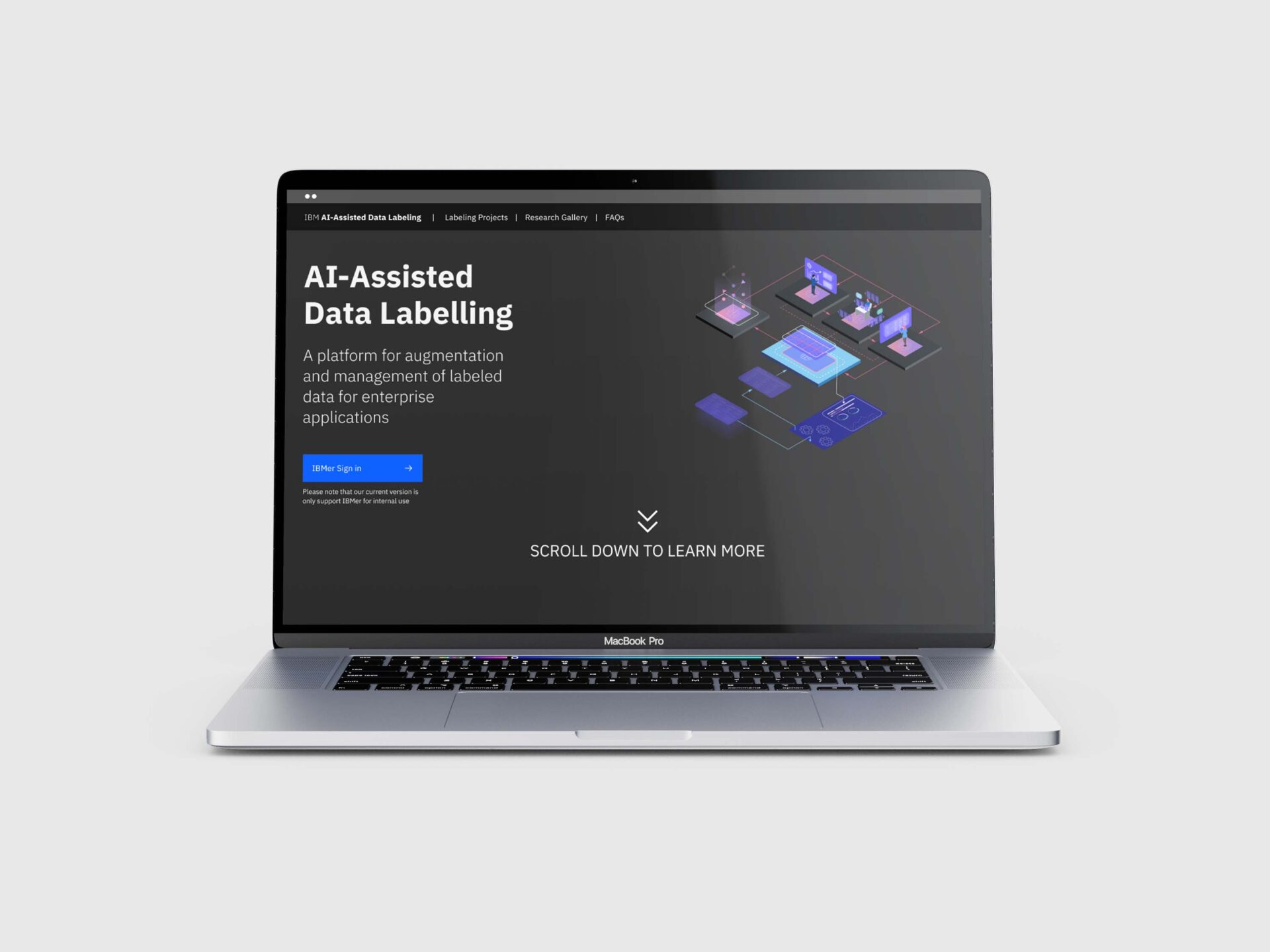
AI -Assisted Data Labeling
Exploratory research studies to discover solutions to improve data labeling accuracy and efficiency via a human in the loop data labeling tool with AI Assistant

To comply with my non-disclosure agreement, I have omitted and obfuscated confidential information in this case study. Information in this case study is my own and does not necessarily reflect the views of IBM.
Scope
End-End UX Design
- Problem definition
- Concept development
- Validations
- Implementation
- Testing & Iterations
My Role
UIUX Research & Design
- Design strategy
- User & Use case research
- Competitor audit
- Design & Iterations
- Usability testing
- Design handoff
Duration
Oct 2019 – June 2022
Team
Sole UX Designer
- 1 UX Designer
- 3 HCI Researchers
- 2 AI Researchers
- 3 Full stack engineers
- 2 Challenge leaders
Project Introduction
What's project context
Good AI need high quantity and quality labeled data for training, however
Time Consuming

Domain Expertise Required

Inconsistent Label

OPPORTUNITY
Explore solutions to leverage AI capability and human expertise to improve data labeling efficiency, accuracy and consistency
Challenges

Design for emerging technology :
Dive in a new domain within a short amount of time through remote team collaborations

Research Driven Project:
Balance design directions between user’s need, business impact and HCI/AI research interest

The User Experience Team of One:
Advocate user and design thinking as the only designer with engineers and researchers
My Design Process
I led UX design for main platform development while collaborating with different researchers to conduct multiple user studies to further explore and evaluate different ideas as individual demos for paper publications

Design Thinking Workshops
As we have a team of people who are working on multiple projects at the same time, we could not afford long continuous design sprint or traditional design thinking session, I broke down “5 days design sprint exercise” into a set of smaller mini-design thinking workshops to better fits with team’s needs and schedule

Strategy Details
To help effectively facilitate multidisciplinary team collaboration
- Break down Design thinking workshop into “twice a week 1 hour” mini workshops to ease learning curve and accommodate schedule
- Design exercise to encourage team members to contribute their ideas using tools they are familiar with, eg.PPT,excel.
- Provide simple tutorials and facilitate remote collaboration using tool such as Mural, Figma to collect and share ideas
Research
Who are our users?
I led team to conduct research on user profiles and provided template to enable team members to summary their understanding into Proto-personas. After discussion and review, we decided to focus technical and non-technical SME data labelers as they would be the direct users for our product

What are their user flows?
I synthesized user flow based on our workshop’s outcomes to help team align our understandings and provide a framework to help team to think & brainstorm ideas along the user flow


Ideas boards from our mini-design thinking workshops
Empathy – User top pain points
Before jumping into brainstorming ideas, in order to help team reflect user’s needs, I facilitated design workshops to have team member to generate and vote top pain points during the user flow

Competitor Audit
Most products use elementary ML to improve data labeling efficiency and accuracy, but not many offer collaboration support

Project Directions
Our product will prioritize to explore following aspects to help Andrea and Beth to achieve their goals

Ideation
Ideas evaluation
After brainstorming ideas with “big ideas vignettes” exercise, I help team to evaluate ideas based on user impact and feasibility to refine our product direction

Understand state of art for ML technique
There are several ML techniques could be further explored to improve data labeling efficiency, accuracy and consistency

Top Voted Big Ideas
I facilitated a workshop to have team member to vote the most valuable ideas in order to narrow down a smaller set of ideas that balanced different expertises and help team to focus so that we could move more agilely

Prioritization - MVP
To help team align the production vision that we were going to further study and develop in next 1-2 months, I generated a overall site map to help team establish the information architecture and refine a smaller set of pages for MVP development

Prototype
Low-Fidelity Design
To better utilize developer’s time, I broke down my prototyping process into three stages so that developer could start to implement in parallel with design process to shorter design & implementation cycle
Project Creation

Discover ideas around how to enable user to effectively create project with template
Data Labeling:

Discover various items arrangement to enable user to compare and effectively label similar items
Project Review

Discover different alternatives to enable labeler to better collaborate and review the labels and progress
High-Fidelity Design
To better synchronize & align with team, I shared and presented low-fidelity design to team every early week and iterated them into high-fidelity design later in the week according to the feedbacks


Project Creation
Efficiency
Key Design Decision # 1
- Enable user to easily switch between pages via multi-step tabs
- Enable user to easily important dataset and label list

Task Distribution
Efficiency
Key Design Decision # 2
- Enable user to decide task distribution strategy based on budget and timeline

Data Labeling Interface
Efficiency
Key Design Decision # 3
- Present 4 similar items in a group to improve speed while balance cognitive load
- Enable user to mark item as unsure

Label Review and Edit
Accuracy and Consistency
Key Design Decision # 4
- Easily review and compare label between team members
- Enable user to easily edit label for the previous item
Validation
Usability Testing
I conducted usability testings to validate design solutions and collect feedbacks from 5 users to help identify actionable items for further improvements
Study Design

Conduct user testing with a set of tasks to discover usability issue
Key Insights

Analyzing collected data into key findings and main user behavior patterns
Present with evidence

Share user’s quote and testing video clips to help team understand the issues
Prioritize suggestions

Collaborate with engineering to evaluate the development complexity and prioritize design suggestions into different tiers
Paralleled Design Studies
I collaborated with researcher & engineer to design and conduct several user study to discover and evaluate additional improvement ideas

Key Findings

Iteration
User Flow and Interface Iteration
Based on feedbacks collected from usability testing and use study experiments, I iterated design to
- Fix usability issues of batch labeling
- Integrate semi-automatic labeling & conflict resolution feature into main platform
Integration user flow

Key Usability Improvement #1
Place “select all” button in the table so it is easier to be found
Before

After

Key Usability Improvement #2
Increase size of checkbox and make the column to be clickable to improve the selections speed
Before

After

Key Usability Improvement #3
Make AI predicted labels more prominent with confidence score color indicator and list out top 3 predictions, so they are easier to be found
Before

After

Key Usability Improvement #4
Place the essential buttons in the fixed footer to make it easier to access without additional scrolling/Clicking
Before

After

Accessibility Considerations
During the design ideation and iteration process, I made design decision and improved usability from color usage, keyboard navigation, AI explainability and responsive design to make our tool as accessible as possible
Perceivable
Eg. Color usage

Operable
Eg. Keyboard navigation

Understandable
Eg. AI Explanation

Robust
Eg. Responsive Design

VISUAL ENHANCMENT - AI ASISTANT DESIGN
Based on our research, anthropomorphic properties of AI could help promote positive interaction, I explored some simple design options for AI-Assistant to help build rapport with user to improve satisfaction towards system

Design Hand-off
I prepared detailed design hand-off documentation and worked closely with our engineers to implement the design. We communicated via slack and GitHub issues to clarify interaction details and crosscheck final design

Outcome
This tool has been launched for internal usage since May 2020. This innovative research study and application ideas significantly improve data labeling efficiency & consistency, the study outcomes were recognized by multiple top AI/HCI conferences and the track is on track to be integrated into IBM product to enhance their competitive advantages
Submitted Patents
2
Review in progress
Reflection

Connect team with real user’s feedbacks
Inviting team member to participate usability testing or presenting team with video clips are super powerful to connect team with user’s needs and better convince team for iteration ideas

Get AI expert involved early in the process
When design for emerging technology, it is essential to include AI expert into the research and ideation phase to better utilize technology to maximize productivity and push innovations for the projects

Prepare design hand-off based on different needs
Different engineers have their different preference for hand-off. To ensure the quality of implementation , always communicate in advance and include different level of details to better prepare design hand-off based on different needs
Design for AI
- Leverage existing literature to help define opportunity for innovation: Collaborate with Researcher for literature review to explore and refine opportunity for innovation
- Actionable explanation with self-explanatory outcome: Display AI’s suggestions/predictions in a stratforward outcome that user could easily understand without additional effort to learn the complex technology/algorism behind the system/machine learn models
- Benchmark user’s expectation: Provide outcome to help user to establish an appropriate mental model towards AI to better collaborate with AI so that they could decide when to trust AI’s prediction to improve efficiency and avoid the risk due to overreliance.
MY PORTFOLIO
- All
- Case Study
- AI
- AR/VR
- Other